Published ·By the InayaFlow team ·7 min read
Can You Change Your TikTok Niche? What Happens and How to Switch (2026)
Yes, you can switch niches on TikTok. See what TikTok says about matching videos to viewers, what a switch costs, and a 4-week plan to pivot.
Yes, you can change your niche on TikTok, because TikTok has no niche setting to lock. The real cost is not with the algorithm. It is with the people who followed you for the old topic, and with how clearly your new videos tell a stranger what they are about.
Try it now: type your name and niche to get username ideas, each checked against TikTok’s username rules.
or type a name
Got your name? See what is working on your channel.
Type your TikTok username and InayaFlow compares your own recent videos: your typical views, your engagement rate, what is working and what to post next. Free, no password needed. It starts with no account; a free account unlocks the full report.
Open the full TikTok username generator.
Key takeaways
- TikTok Newsroom (18 Jun 2020): neither follower count nor past high-performing videos are direct factors in recommendations, so a new topic is judged on its own.
- TikTok Transparency Center: the system weighs viewer signals such as follows, watches and skips, plus video information such as captions, sounds and hashtags. There is no niche setting to reset.
- InayaFlow viral study (10,124 trending US videos): the share of videos passing 1M views ran from 20.9% in food to 0.3% in creator growth, so a niche change can change the odds. Give a new topic a run of posts before judging it.
- The claimed cost of a switch, such as 2 to 4 weeks of relearning, comes from creator blogs. TikTok has not published a recovery time.
On this page
This guide shows what TikTok says it uses to match videos to viewers, what a switch really risks, and a four-week plan for changing topic on the same account. If you are still choosing a direction, start with our hub guide on what to post on TikTok.
What TikTok says about changing topic
TikTok has not published any advice on changing niche. There is no official relearning period and no "niche reset". What it does publish describes how videos are matched to viewers, and that is enough to reason from.
- Your history is not a direct factor. TikTok Newsroom says "neither follower count nor whether the account has had previous high-performing videos are direct factors" (TikTok Newsroom, 18 Jun 2020). A new topic is not punished for your old record, and it also does not inherit your old reach.
- Viewer signals and video information drive the match. The Transparency Center lists viewer factors such as follow relationships and recent watches, finishes, likes and skips, and video factors such as soundtrack, length and hashtags (TikTok Transparency Center). The Newsroom adds that video information "might include details like captions, sounds, and hashtags".
- No stage-by-stage test is described. The Transparency Center page says nothing about a test audience or how brand-new videos with no history are handled. Numbers such as "200 to 300 viewers first" come from creator blogs, not TikTok.
What this means for you: TikTok judges each new video on its signals, so a pivot is mostly a communication job. The video, its caption and its hashtags have to say what the topic is, and the viewers who see it have to want to keep watching.
What a switch can cost
| Possible cost | Evidence | Our read |
|---|---|---|
| Old followers lose interest | Creator guides such as ClipsFast list audience retention as the main risk of a switch | Likely. Followers signed up for the old topic, and their watches and skips on the new one are signals too |
| The algorithm "resets" | TikTok has published nothing on this | Not confirmed. Treat as a creator belief |
| A slow period of 2 to 4 weeks | ClipsFast estimate, no data cited | Plausible as a rule of thumb, not a fact |
| Lost monetization progress | Creator Rewards and TikTok Shop rules use follower and view thresholds, not topic | Only if followers leave. See how many followers you need |
| Nothing at all | Our reasoning: with few followers and few videos there is little to walk away from | Our reasoning: fewer followers and fewer videos mean less to walk away from |
Two points from that table. First, the cost grows with the size of the audience you would be walking away from, so an account with 300 followers can pivot with much less risk than one with 30,000. Second, one claim you will see repeated is that creators with a defined niche "grow 3-5x faster" (Blitzcut, 16 Feb 2026). That page gives no source for the figure, so we do not repeat it as fact.
Should you switch at all?
Many creators change niche because of one flat week. The numbers say that is usually too early. In our viral study of 10,124 trending US videos, food videos passed 1M views 20.9% of the time and the creator-growth niche 0.3%, so where you post matters. One weak video, or one strong one, tells you little about a topic.
Use this check before you decide:
- Count your sample. If you have fewer than 10 videos on the topic, do not switch yet. Keep posting and change the angle instead.
- Compare medians, not best videos. Take the median views of your last 10 videos and compare it with your overall median. A topic that is lower by a small margin is not dead.
- Look for a reason beyond views. Burnout, no way to earn from the topic, or a topic you no longer care about are all fair reasons. A creator guide such as ClipsFast lists similar signs: engagement that keeps declining, a shortage of material and creative burnout.
- Try a pillar first. Adding the new topic as one of three content pillars lets you test it without leaving the old audience behind.
Switch niches without losing your audience
The safest switch is a bridge, not a jump. Here is a four-week plan. The timing is our suggestion, not a TikTok rule.
Week 1: name the change
Write one sentence for the old niche and one for the new, then find the overlap. A fitness creator moving to cooking might pick "meals for people who train". If you cannot find any overlap, that is a sign to treat it as a new account, covered below.
Week 2: post the new topic as one pillar
Post two or three videos on the new topic while keeping your usual ones. Put the new topic in the first line, the on-screen text and the caption, because those are the video details TikTok says feed its matching. Use hashtags that name the new topic rather than generic ones, as in our hashtag strategy.
Week 3: read your numbers per topic
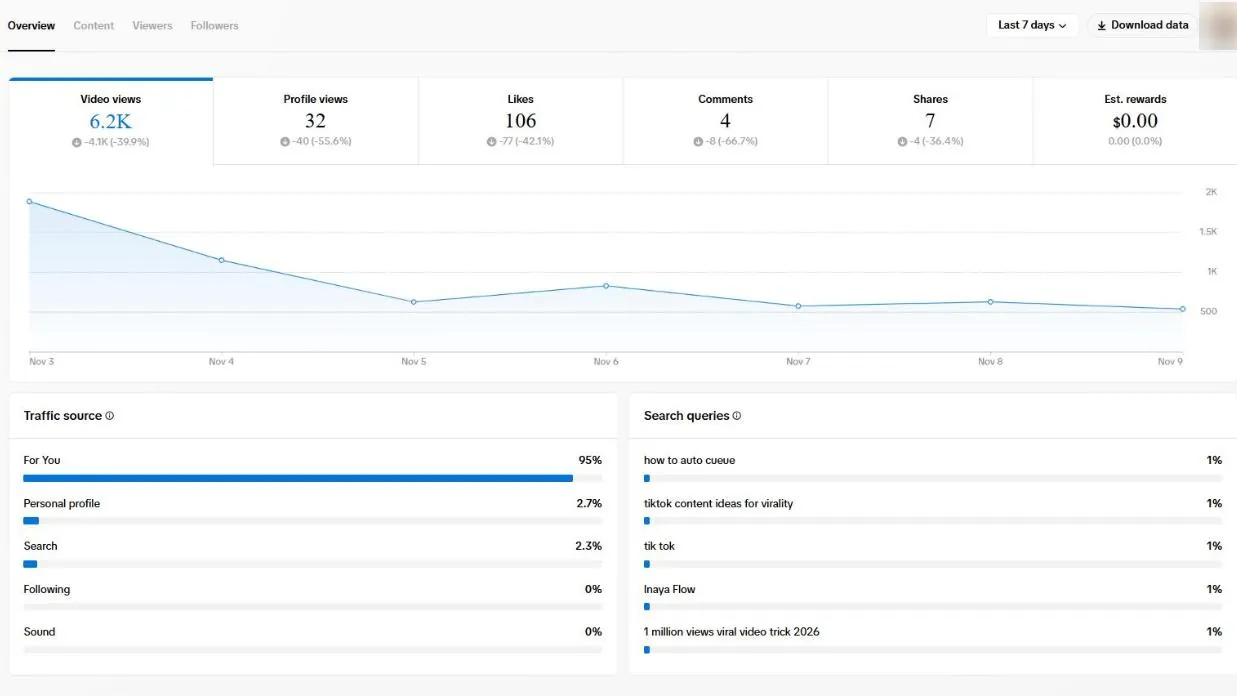
List each video from the last three weeks with its topic and its views, then compare the median for each topic. TikTok Analytics shows views, watch time and where viewers came from for each video. If your new topic is within reach of the old one, keep going. If it is far below the old one with no sign of rising, stop and read the next section.
Week 4: update the profile
Change your bio, pin two or three videos on the new topic, and make the profile promise match what you now post. A visitor who lands on your profile from a new video should see the same topic in the first screen of videos. If you are growing a following from scratch on the new topic, our guide to getting more followers covers what turns a viewer into a follower.
What to do with old videos
We found no TikTok page that says deleting old videos helps or hurts. Creators trade stories about deleting or hiding old videos during a pivot, but none of it is TikTok guidance, so we do not treat it as fact. The cautious approach:
- Keep what works. Old videos still bring in new viewers and show your history.
- Pin the bridge. Pin the old video that is closest to the new topic, plus your best new one.
- Set to private only the ones that clash. A video that sends the opposite message to a new visitor is the one to hide.
- Do not delete in bulk. Hiding is reversible. Deleting is not.
When a new account makes sense
Start a new account when the old and new topics share no viewer, when the old audience would follow you for the wrong reason, or when you want a clean start for a brand. The cost is real: you restart at zero followers, and creator programs use follower counts, so the clock restarts too. Our guide to how to find your TikTok niche shows how to choose before you commit, and best TikTok niches shows how to rate a candidate before you build on it.
Common mistakes when switching
- Switching after one flop. One video is a coin flip. Give a topic about 10 videos.
- Posting both topics randomly. Without a format or a schedule, the account looks random. Give each topic its own format and slot.
- Leaving captions generic. If the caption does not name the new topic, the video information TikTok reads says little.
- Chasing a trend outside your topic. A trend can bring viewers who will not watch your next video, which is a skip signal. Use a trend only when it fits.
- Changing the profile first. Change the bio after you have posted new videos, not before.
How InayaFlow helps with a niche switch
Before you switch, it helps to see what your channel actually shows. The free Channel Analysis takes just your TikTok handle and reads your public videos. It names the niche your videos show, sets your best video beside a typical one, and points out one strength and one thing to fix first. Signing up free, no card, shows the full report.
That tells you whether the old topic is really weak or whether one video is skewing the picture. On Pro, Content Ideas builds topic ideas from your own channel, which helps when you are hunting for a bridge between old and new, and Write My Script drafts an opening line and a script in your voice for the new topic. Posting stays with you, and InayaFlow cannot see watch time or anything inside TikTok Studio. No result is promised.
Next step
Write one sentence for the niche you have and one for the niche you want, then post one video that sits in the overlap. If you want a read on your current niche first, run the free Channel Analysis.
Frequently asked questions
Can you change your niche on TikTok?
Yes. TikTok has no niche setting to lock, and its Newsroom says follower count and past high-performing videos are not direct factors in recommendations. The cost is mostly with your existing followers, who followed you for the old topic.
Does changing niche reset the TikTok algorithm?
TikTok has published no reset and no relearning period for creators. What it does say is that recommendations use viewer signals and video information such as captions, sounds and hashtags. Your new videos are matched on those, so make the new topic obvious in the caption and the first seconds.
How long does it take to switch niches on TikTok?
TikTok does not say. One creator blog, ClipsFast, estimates 2 to 4 weeks of steady posting, with no data behind it. Our advice is to judge a new topic on about 10 videos, not on a calendar date.
Should I delete my old TikTok videos when I change niche?
We found no TikTok page that says deleting videos helps or hurts. You can keep them, or set the weakest to private. Keeping your best old videos pinned and giving the new topic its own pinned videos is the safer way to show a visitor where the account is going.
Should I start a new account instead?
Only if the new topic is unrelated to the old one and you do not want to carry the old audience. If the two topics share a viewer, bridge them on the same account. A new account means starting from zero followers and the creator rules that depend on follower counts.
Can I cover two niches on one TikTok account?
You can, but each video should still make sense to a stranger who sees only that video. Giving each topic a named format and a steady slot in your week, as in our content pillars guide, keeps two topics from looking random.
Sources
- TikTok Transparency Center: Recommendation system (November 23, 2026)
- TikTok Newsroom: How TikTok recommends videos #ForYou (June 18, 2020)
- ClipsFast: When to Switch Niches Clipping (January 15, 2026)
- Blitzcut: How to Find Your Niche on TikTok (February 16, 2026)
- InayaFlow: InayaFlow viral TikTok study 2026 (22,767 trending videos) (November 27, 2026)