Published ·Updated ·By the InayaFlow team ·9 min read
TikTok Link in Bio Requirements (2026)
Most guides say a TikTok bio link needs 1,000 followers or a business account. See where they agree, where they conflict and what to try.
Most guides agree on the rule: a personal TikTok account needs about 1,000 followers to get a clickable website link, and a business account can get one with fewer. The pages that rank disagree on what the business route requires, and TikTok's own support page did not load for us. So treat 1,000 followers as the likely number and check the Website field in your own app.
Try it on your own account: type your TikTok username for a free report on your recent videos.
Key takeaways
- Shopify, Buffer and Stan all say a personal account needs 1,000 followers to unlock the clickable website field, or the account must be a business account.
- They disagree on the business route: Shopify says a Verified Business Account (free, 18 or older, with business documents), Buffer says you switch to a business account and register in some countries.
- TikTok's account entitlements page lists three account levels and says a General TikTok Account cannot display a bio link. We could not read TikTok's support FAQ on the follower rule, so confirm the number in your own app.
- Only the mobile app adds the link. Accounts without access can paste a short URL as plain text in the bio, but it will not be clickable.
- TikTok's rules change. Stan says follower counts can take 24 to 48 hours to update, which is a claim, not a TikTok figure.
On this page
That answer needs care, because this is one of the topics where creators get conflicting advice. This guide sets out where the three top pages agree, where they conflict, the steps to add the link once you qualify and what to do if the field is missing. It sits in our followers series, and the threshold is also one of the milestones in how many followers you need on TikTok.
TikTok link in bio requirements at a glance
| Route | What the pages say | Agreement |
|---|---|---|
| Personal account | 1,000 followers | Shopify, Buffer and Stan agree |
| Business account (Verified) | No follower minimum; free; 18 or older; business documents | Shopify |
| Business account (switch and register) | No follower minimum; registration in some countries | Buffer, Stan |
| Device | Mobile app only; desktop does not show it | Buffer, Stan |
| Number of links | One website field | Buffer, Stan |
| Under the limit | Paste a short URL as plain text; it is not clickable | Buffer, Stan |
What TikTok itself says
TikTok's account entitlements help page describes three account levels: a General TikTok Account, a TikTok account with Advanced Access (linked to a TikTok for Business account or an unverified Business Center) and a Verified Business Account, formerly the Registered Business Account. On bio links it says a General TikTok Account cannot display "business information (address, phone, email) and bio-link" (TikTok Ads Help Center). The same page says an account with Advanced Access can edit a bio link but not display it on the profile, and its table for Verified Business Accounts was unclear in the copy we could read.
Two cautions about that page. It is written for business and ad accounts, so a personal creator profile with 1,000 followers may be handled under a separate rule. And the 1,000-follower number is not on it. TikTok's support FAQ on adding a website link is the page the guides cite for the number, and it returned no readable text here. So the follower figure rests on the three guides, not on a TikTok page we could read, and the plain answer to "what does TikTok say" is: its entitlements page ties a displayed bio link to higher account levels, and the exact threshold is something you confirm in the app.
What the top three pages say
On 24 Nov 2026 we read the three top-ranking pages for this search side by side.
- Shopify (about 1,100 words): a personal account with more than 1,000 followers, or a Verified Business Account with no follower minimum. Verification is free, applicants must be 18 or older, and for the U.S. the document must show a legal business name and an employer identification number issued by the IRS. It sets the path as Settings and privacy, then Account, then Business verification.
- Buffer (about 1,900 words): the clickable Website field opens when you meet TikTok's follower or regional requirements, or when you switch to a business account. Accounts under 1,000 followers also need business registration details such as legal business name and address, and registration is only available in some countries.
- Stan (about 2,000 words): 1,000 followers for personal accounts, no minimum for business accounts, and a trade-off it claims: business accounts lose access to some trending and copyrighted music. It gives no source for the music claim, so we have not repeated it as fact.
The shared core is clear: 1,000 followers, or a business account, on the mobile app, with one link. The split is on the business route. Shopify says "verified" and describes document checks. Buffer and Stan describe a switch that "registers" a business. Both could describe the same process under different names, since TikTok's help page says the Registered Business Account has been renamed the Verified Business Account. But none of the three links a TikTok page that settles it, so choose the route your own app offers.
How to add the link once you qualify
The steps below come from Buffer and Stan, which both describe the mobile app.
- Open TikTok on your phone and update it first if an update is waiting.
- Tap Profile, then Edit profile.
- Find Website or Links. On Shopify's screens it is "Add" next to Links.
- Paste the full address, starting with https://. Stan says TikTok does not add that part for you.
- Save, then open your profile in a second account or a friend's phone to confirm it shows and works.
If you cannot find step 3, the field has not unlocked yet. Go to the next section.
Why you can't add a link to your TikTok bio
Work through these in order. Each is a cause the top pages name.
1. You have fewer than 1,000 followers
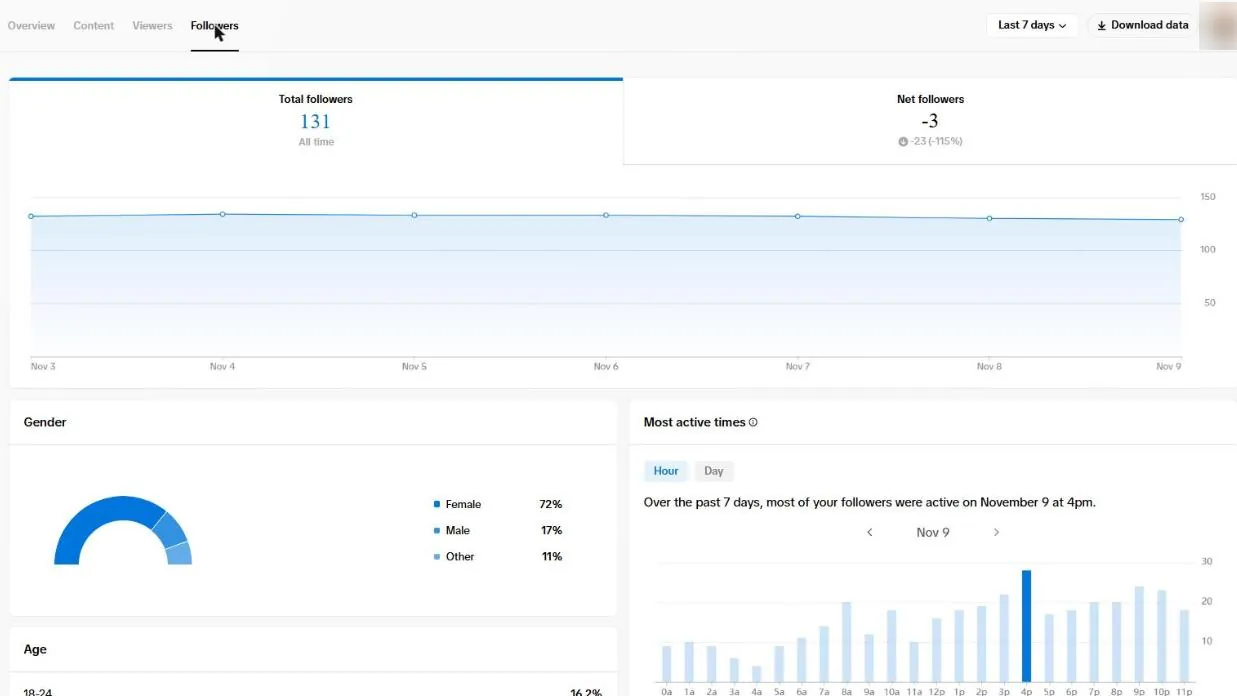
This is the most common cause. Check your count in the Followers tab of TikTok Studio, or look up your public profile with our free follower count checker (type your @username; no login needed). If you are close, a log such as the one in our follower count history guide tells you how long it is taking to reach the line.
2. You are on a personal account without a business route
Buffer lists a missing business switch among the main reasons. Before you switch, know the trade-offs the pages name: Stan says it can mean losing access to some music, and Shopify says verification needs documents. Weigh that against what you need the link for.
3. You are on a desktop browser
Buffer and Stan both say only the mobile app can add the link. If you are in TikTok Studio on a computer, open the app instead.
4. The app is out of date
Update first. Stan tells readers to run the latest app version before trying the steps.
5. Your follower count has not caught up
Stan says follower verification can take 24 to 48 hours to update after you cross 1,000. That is its claim, with no TikTok source. If you passed the line today and the field is missing, check again in two days before you try anything else.
6. The rule changed
Stan and Buffer both warn that TikTok's requirements change and recommend checking its current guidelines. If a guide and your app disagree, your app is right.
What to do if you don't qualify yet
You have options that cost nothing:
- Type the URL in the bio text. Buffer and Stan say you can paste a short URL into the bio description. It is not clickable, so viewers must copy it.
- Say where to go in the video. A spoken line near the end, or text on screen, costs nothing. Shopify lists in-video calls to action as an alternative.
- Use a non-clickable handle. Shopify suggests naming your other platform's handle in the bio.
- Use TikTok Shop if you sell products. Shopify says store owners can sync their store through the TikTok app for Shopify.
Keep the destination plain. A bio that says what you offer in one clear sentence beats a long list of places to go; the writing side of that is covered in our TikTok bio ideas guide.
Before you switch to a business account
If you are under 1,000 followers and the link matters to you, the business route is the only one the pages describe. Check four things first, using what the pages say:
- Your age. Shopify says Verified Business Account applicants must be 18 or older.
- Your documents. Shopify says a U.S. applicant needs a document from the IRS showing the legal business name and an employer identification number. Buffer says registration asks for a legal name and address and, depending on the country, a business license ID. If you are an individual with no registered business, you may not have these.
- Your country. Buffer says business registration is only available in some countries for now. Confirm yours in the app before spending time on paperwork.
- The trade-offs. Stan claims a business account limits trending and copyrighted music and may lower reach for some content, with no figures. We cannot confirm either, so read TikTok's own notes in the switch screen before you decide.
If you cannot meet all four, the sensible plan is to put your effort into reaching 1,000 followers on a personal account and use the free alternatives until you do.
Link hygiene: make the link work first time
Once the field is open, a few small habits stop broken or ignored links:
- Paste the full address with https://. Stan says TikTok does not add it for you.
- Keep it short. Buffer suggests a shortened address so it reads cleanly if someone copies it, for example when a viewer types it by hand.
- Test it from outside your account. Open your profile on another device or ask a friend to tap the link. A typo in the address costs you every click.
- Send people to one thing. Buffer and Stan both treat the field as a single destination. Match it to what the viewer was just promised in your video.
- Check it after each app update. If the field disappears, see the list of causes above rather than assuming the account has been limited.
Link-in-bio tools: do you need one?
TikTok's profile has one website field. If you need to point to several things, a link-in-bio page hosts them behind one address. Shopify names three, with prices as it published them:
| Tool | Free plan | Paid from (per Shopify) |
|---|---|---|
| Linktree | Yes | $6 a month |
| Hoo.be | Yes | $8 a month |
| LinkShop | 7-day trial | $15 a month |
Prices are vendor figures at the time Shopify wrote the page, so check each site. Shopify also reports that TikTok recommends a direct website link over a multi-link landing page, citing TikTok's FAQ, which we could not read. If you have one clear destination, you do not need a tool.
What to put behind the link
A link only helps if there is something worth clicking. A few honest options:
- A newsletter or waitlist, if you want to own the audience.
- A store or product page, if you sell something.
- A booking page, if you offer a service.
- A page that matches your most-watched video, because that is why people visited your profile.
Look at the video that brought the most profile visits in TikTok Studio and write the destination to continue that video's promise. With a single field, pick the one destination that matters.
Does a bio link help you grow?
No page we read shows that it does. A bio link sends people away from TikTok, so it helps conversion, not reach. If your goal is more followers, the work is in the videos. Our guide to how to get more followers on TikTok covers that, and the link can wait until you qualify.
How InayaFlow helps with this
InayaFlow does not change your account type and cannot see whether your Website field has unlocked, because that sits inside TikTok. What it can do is show where you stand against the follower line and what to work on to reach it. Run your handle through the free channel analysis: it studies the public side of your videos and tells you your niche, a strength worth repeating and the first weak spot to fix. A free account shows the remaining findings. Pro is where Content Ideas and Write My Script live, for planning what to film next.
For the count itself, the free follower count checker reads your public profile and stamps the result with the time. InayaFlow does not promise a follower count or a result, and you do the posting.
Bottom line
Assume 1,000 followers on a personal account, or a business account, on the mobile app, with one link. Confirm in your own Edit profile screen, because TikTok's rules change and the top pages disagree on the business route. If you are not there yet, type the URL as text, say it in the video and spend your effort on the videos that earn followers. To see how far you are from the line, check your count with the free follower count checker.
Frequently asked questions
How many followers do you need for a link in your TikTok bio?
Shopify, Buffer and Stan all give 1,000 followers for a personal account. TikTok's own support page for this rule did not load for us, so check the Website field under Edit profile in your app, which is the one place that shows whether your account qualifies.
Can I add a link with fewer than 1,000 followers?
Some pages say yes with a business account. Shopify says it must be a Verified Business Account, which is free but needs documents and an age of 18 or older. Stan says business accounts have no follower minimum. The pages disagree on what 'business' needs, so follow what your app offers.
Why can't I see the Website field on TikTok?
The common causes are under 1,000 followers, no business account, using a desktop browser, or an old app version. Update the app first, then check the follower count. Stan says follower counts can take 24 to 48 hours to register, which is its claim.
Can I add more than one link to my TikTok bio?
Buffer and Stan say the profile has one website field. If you need several destinations, people use a link-in-bio page that hosts them behind one address. Some of those tools are free and some are paid, with prices set by each company.
What can I do if I do not qualify yet?
Type the URL as plain text in the bio, which is not clickable, point viewers to the link in a video or comment, or build followers first. TikTok Shop is another route if you sell products and qualify.
Does a bio link help me grow on TikTok?
No source we read shows that it does. A link sends viewers off TikTok, so it helps if you have somewhere to send them, such as a newsletter, a store or a booking page. It is not a growth tool for the For You feed.
Sources
- TikTok Ads Help Center: About TikTok account entitlements (November 24, 2026)
- Shopify: How to add a link to your TikTok bio (November 24, 2026)
- Buffer: How to add a link to your TikTok bio (and what to do if you can't) (November 24, 2026)
- Stan: TikTok link in bio requirements: a complete guide for 2026 (November 24, 2026)
- InayaFlow: InayaFlow viral TikTok study 2026 (22,767 trending videos) (November 27, 2026)