Published ·By the InayaFlow team ·11 min read
Do TikTok Shadowban Checkers Work? What They Can and Can't See
Shadowban checkers read public numbers, not TikTok's records. See what they can show, what only TikTok can confirm, and how to check safely for free.
No shadowban checker can see inside TikTok, so none can confirm a shadowban. A checker reads public numbers (your views, likes and posting pattern) and tells you whether they look like a drop. TikTok's own notices and Account check are the only things that confirm a restriction.
Try it on your own account: type a TikTok username to see if its recent views dropped against its usual views.
Before you start: This self-check can’t see TikTok’s systems, and TikTok doesn’t confirm shadowbans. It only reads your answers. If you type a username, we read that account’s public TikTok numbers on our server and keep them for up to 24 hours. Numbers you type yourself stay in your browser.
Answer any question above and your result shows here.
No notice, but still low views?
InayaFlow can’t see TikTok’s restrictions either. What the free channel analysis does: type your TikTok username and it compares your own recent public videos (your typical views, your engagement rate, your strengths, what to improve and, with a free account, three recommendations). No password needed.
Open the full TikTok shadowban checker.
Key takeaways
- TikTok Help Center: if an account repeatedly posts content unsuitable for the For You feed, its posts won't appear there and will be harder to find in search. TikTok says it tells you in your inbox and on your profile.
- A third-party checker has no view of TikTok's records. It can only read public numbers, so it can flag a pattern but cannot confirm a restriction.
- Vendor articles disagree on how long a shadowban lasts: one says 3 to 7 days, another 1 to 2 weeks, another up to a month, and none names a source. TikTok gives no fixed time.
- Our viral study (10,124 trending US videos): views are very uneven, with the 766 videos over 1M views (7.6%) taking 66.8% of all views, so one quiet video alone is no proof of a restriction.
- Never type your TikTok password into a checker. A tool that needs only your public @username is the safe kind.
On this page
That is the honest answer, and it matters because the search results are crowded with tools that sound more certain than they can be. This guide explains what checkers actually do, what they cannot do, how to spot an unsafe one, and a free way to run the check yourself in about ten minutes. It sits inside our views series; if your real problem is low reach, start with how to get more views on TikTok.
Shadowban checkers at a glance
| Question | Short answer |
|---|---|
| Can a checker see TikTok's records? | No. It only reads public data or what you type in. |
| Can it confirm a restriction? | No. Only TikTok's notices and Account check can. |
| What can it do? | Flag a drop in views, and list causes worth checking. |
| Is it safe? | Only if it needs a public @username or typed numbers, never a password. |
| Can a tool remove a restriction? | TikTok describes no outside tool for that. You can appeal in the app. |
| What is the best free check? | Profile notice, inbox, Account check, then your own analytics. |
What TikTok says about restricted accounts
TikTok's Help Center says that if you repeatedly post content that is not suitable for the For You feed, your account and posts "won't appear in the For You feed and will be harder to find in search" (TikTok Help Center). On that page TikTok also says it notifies you through your inbox and your profile, so you can see what was flagged and why.
Two details from the same pages shape how you should use any checker:
- TikTok says it may restore an account to good standing automatically at any time. That is why no outside source can give you a fixed "ban length".
- TikTok says you can challenge a decision you believe is wrong, from the notice on your profile or from your inbox.
The pages we read never say "shadowban"; that label comes from creators. If you want the full TikTok-side picture, our guide to the TikTok shadowban check walks through each notice step by step. This guide is about the tools.
What a shadowban checker actually does
Third-party checkers fall into three kinds. Knowing which kind you are looking at tells you how much to trust the result.
Public-data checkers
You type a @username. The tool reads the public profile and recent public videos, then compares recent views with older views. If the latest videos sit far below the earlier ones, it says your account may be limited. This is a useful drop detector. It is not a ban detector, because views fall for many reasons that have nothing to do with a restriction.
Questionnaire self-checks
You answer questions: Do you see a notice? Did you repost clips? Did you post several videos in a few minutes? The tool scores your answers and says what to do next. Nothing is read from TikTok, so there is nothing to be "wrong" about; the value is that it makes you look at the places TikTok actually shows a notice. Our own free TikTok shadowban checker is this kind, and it says so on the page.
"Remover" and "unban" tools
These promise to lift the restriction. TikTok describes no outside tool that can change your account's status, and its own route is the appeal inside the app. Shopify's guide warns about checker tools in general: it says their reliability is uncertain and that some ask you to log in to TikTok, which puts your account details in someone else's hands (Shopify). We would treat any tool that sells a "fix" as a red flag.
What a checker cannot see
A checker cannot see:
- TikTok's internal status for your account. Only TikTok has it, and it shows it to you through notices and Account check.
- Why a video got fewer views. Views depend on how viewers react to the first few seconds, on the topic, and on chance.
- Your private analytics. A public-data tool does not know your traffic sources, so it cannot say how many views came from For You.
- Whether a drop will last. It reads the past, not the future.
This is also why different tools give different answers about the same account. They are reading the same public numbers and applying different rules.
The numbers on this topic: what the top pages claim, and what holds up
Many pages that rank for this search give figures. We opened three and checked whether each figure comes with a source. None of the three names a study for its durations.
| Claim | Where it appears | Source named? |
|---|---|---|
| A restriction lifts within 3 to 7 days once the trigger stops | Wondershare Filmora (Step 4) | No |
| A restriction typically lasts 1 to 2 weeks | Same page, FAQ | No |
| Minor 3 to 5 days, moderate 7 to 14, severe 14 to 30 days or longer | Virlo (published 14 Jan 2026) | "Experienced creators", no names |
| New videos drop 50 to 90% in views | Virlo | "Industry data", not named |
| A drop of 90% or more is a red flag | Filmora (Method 2) | No |
| Strikes expire after 90 days | TikTok Help Center | Yes, TikTok itself |
Two things stand out. First, the vendor figures contradict each other even inside one page: Filmora gives 3 to 7 days in one place and 1 to 2 weeks in another. Second, the only duration TikTok itself publishes is the 90-day strike expiry, and that is about strikes, not about the reach restriction. If a tool gives you a "ban ends on" date, it is guessing.
We are not saying these pages are useless. Their hashtag test and analytics tips are reasonable ideas to try. We are saying the numbers are unverified, and we do not repeat them as fact.
Is a low-views result the same as a shadowban?
No. Views are very uneven: in our viral study of 10,124 trending US videos, the 766 that passed 1M views (7.6%) took 66.8% of all views. A single weak video is normal.
TikTok's For You feed eligibility standards say much the same from its side: a video that is not getting many views does not necessarily mean it broke a rule. A checker that flags "your last video got fewer views" as a possible ban is flagging something that happens to most accounts every week.
What is worth a closer look:
- Several videos in a row far below your usual views, not one.
- A notice on your profile or in your inbox.
- A sudden change right after you reposted other people's clips, posted many near-identical videos, or did something else TikTok's rules name.
If none of those apply, read why your TikTok views are going down before you spend time on checkers.
The manual tests you will see recommended, and how much to trust them
Alongside checkers, the pages we opened recommend a few do-it-yourself tests. They are free, so they are fine to try, but be clear about what they prove.
The hashtag test
Virlo and Filmora both suggest posting with a unique hashtag, then searching that hashtag from another account that does not follow you. If the video is missing, they say, it may be limited. TikTok does not describe this test on the pages we read. A video can also be missing from a hashtag page for ordinary reasons, such as a delay in indexing or the search view you happened to open. Treat a missing result as a reason to look at your notices, not as proof.
The follower-feed test
Virlo suggests checking whether followers see your video in their feeds. This needs a friend and their honest report, and TikTok's feed is personalized, so a follower not seeing a video one day does not mean much. It is a weak signal at best.
The traffic-source test
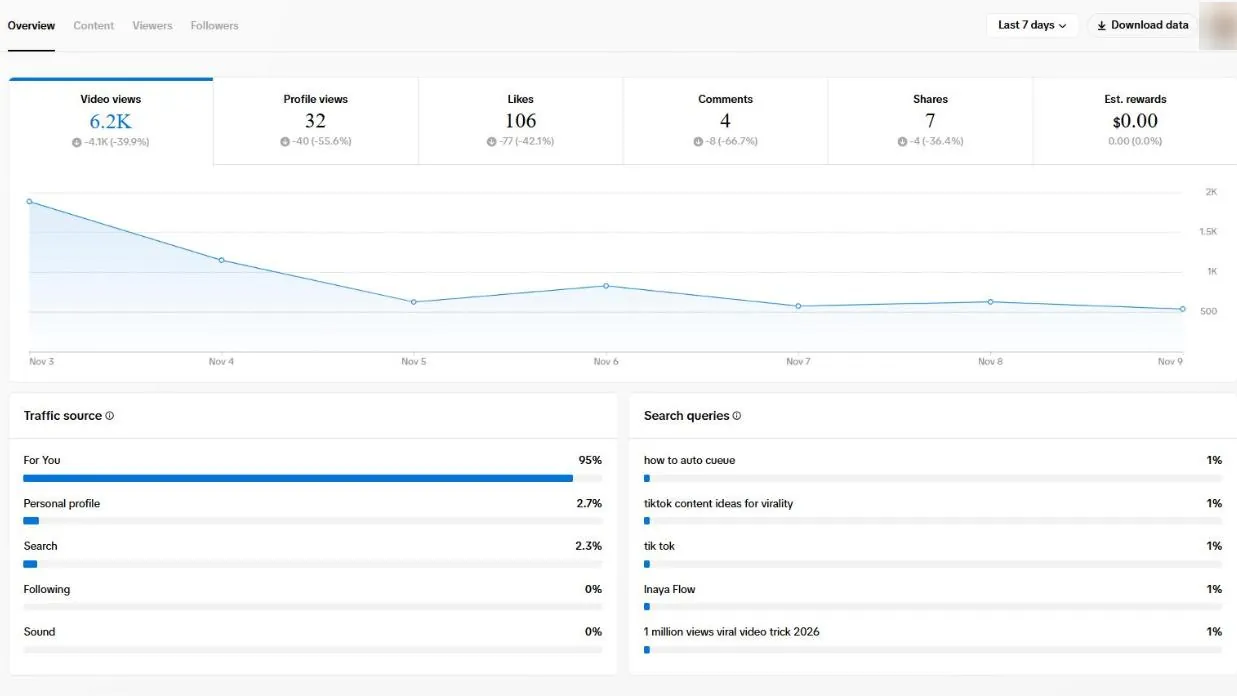
This is the strongest of the three, and it uses TikTok's own data. In analytics for a single video, look at where views came from. If almost every view comes from your followers and none from For You across several videos, that is worth noting. It still does not say why, and a small account often sees this pattern with no restriction at all.
How the tests and checkers compare
| Method | Reads TikTok's notices? | Cost | Reliability |
|---|---|---|---|
| Profile notice and inbox | Yes | Free | Highest: TikTok says it tells you here |
| Account check in TikTok Studio | Yes | Free | High: a checkmark or a warning sign |
| Traffic sources in analytics | Partly | Free | Medium: shows the pattern, not the cause |
| Public-data checker | No | Free or paid | Low to medium: spots a drop |
| Questionnaire self-check | No | Free | Low as proof, useful as a checklist |
| Hashtag test | No | Free | Low: many harmless reasons for a miss |
| "Remover" tools | No | Often paid | None that we can support |
Three common situations
"My last video got 40 views and my usual is 400." One video. Check the first three seconds and the topic, then post the next one. Nothing in this points to a restriction.
"My last eight videos are all far below my usual, and there is no notice." This is a real drop, and a content problem is far more likely than a restriction, because TikTok says it tells you about the latter. Compare the eight videos with your best ones: topic, length, opening line, posting time. Our guide on why TikTok views go down lists seven causes in the order to check them.
"There is a notice on my profile." That is the confirmation no checker can give. Open it, read the named post, and appeal when you believe it is wrong. Then follow the steps in the full shadowban check.
How to tell a safe checker from an unsafe one
Run through this list before you type anything into a tool.
| Check | Safe | Walk away |
|---|---|---|
| What it asks for | A public @username, or numbers you type | Your TikTok password, or "authorize this app" |
| What it promises | A read of your public numbers and next steps | To unban, remove or "reset" your account |
| What it says it can see | Says plainly it cannot see TikTok's records | Claims to know your internal status |
| Price | Free, or a clear price for analytics | A fee to "lift" a restriction |
| Extras | Nothing | Sells followers, likes or views |
Buying followers or views to "fix" reach is a separate trap. It does not appear in TikTok's guidance as a remedy, and fake activity is the kind of thing its integrity rules are about.
A free check you can run in ten minutes
This is the order we would use. It starts with what TikTok tells you and ends with the tools.
1. Look at your profile
Open your own profile. TikTok says an account or video kept out of For You is flagged with a notice you can open. If there is none, go on.
2. Read your inbox
Check Inbox, then System notifications and Account updates. TikTok says it notifies you there. A notice names what was flagged.
3. Run Account check
TikTok's account status page describes Account check in TikTok Studio and the Safety Center. A checkmark means TikTok found no issue. A warning sign means it did, and you can open it.
4. Read your own analytics
Open analytics for your last five to ten videos. Note your usual views, and whether the last few are far below it and when the drop began. Write that date down, because it is what you will compare with anything you changed.
5. Run a self-check or a drop check
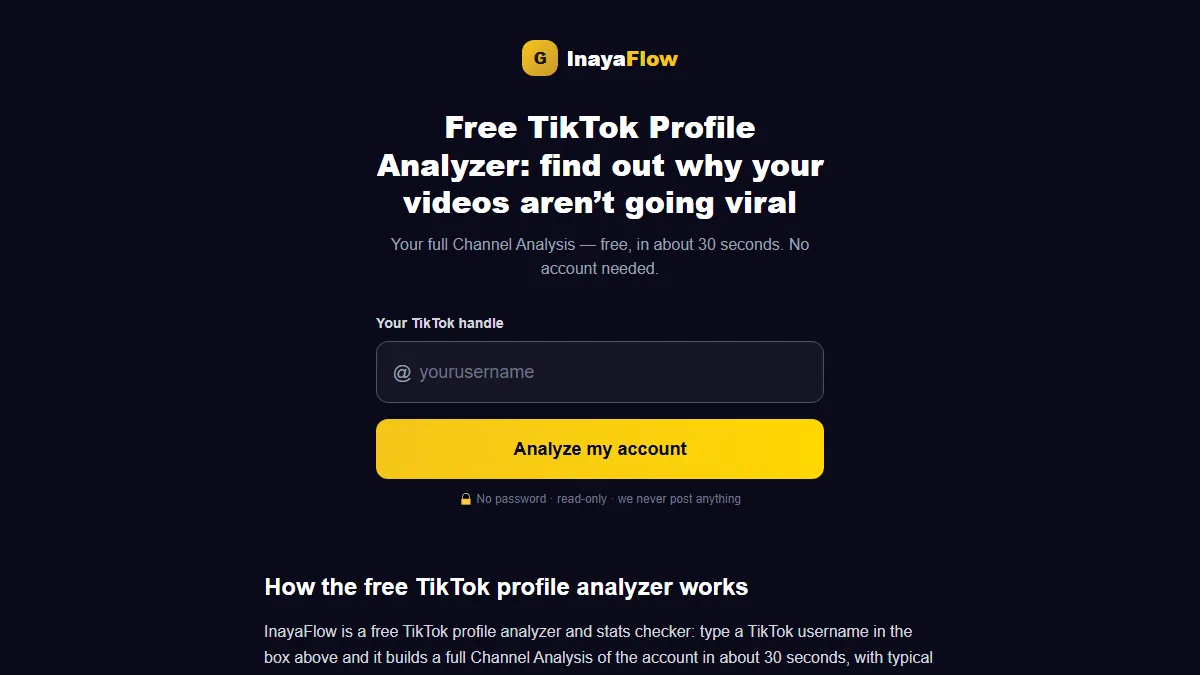
Now a tool earns its place. Our shadowban checker asks what TikTok shows you, then the causes TikTok names, then timing, and gives you next steps. It does not log in to TikTok and cannot see TikTok's records.
6. Decide
- A notice exists: read it, fix what it names, and use the appeal option if you believe TikTok got it wrong.
- No notice, a real drop: treat it as a content problem and test one change at a time.
- No notice, one weak video: post the next one. Nothing is wrong.
What to do if a notice says you are restricted
- Open the notice and read which post or rule it names.
- Delete or fix that post only if it really broke a rule; if you think TikTok was wrong, tap appeal instead.
- Stop doing what the notice names. Do not post many versions of the same video to "test" it.
- Keep posting original videos at your normal pace. TikTok says it may restore good standing automatically, with no fixed time.
- Check again in a week using the same steps and compare with the date you wrote down.
What not to do
- Do not type your password into any checker.
- Do not pay for an "unban".
- Do not make a new account and repost the same videos. TikTok's For You feed standards list the kinds of content it keeps out of recommendations, and reposting the same material is not a way around them.
- Do not read a single low video as a verdict.
- Do not trust a ban length from a vendor page that names no source.
How InayaFlow helps with this
InayaFlow cannot see whether TikTok has restricted an account, and it does not claim to. What it can show is whether your content changed. Type your handle into the free analysis at inayaflow.ai/analyze and, with no password, you get a read on your niche, your strengths and your weaknesses in about 30 seconds, based on your own public videos and their views, likes, comments, shares and saves.
If the notices are clear and views stay low, a free account unlocks the rest of the report, including the next recommendations. Pro adds Video Analysis for a single video you choose. InayaFlow has no view of watch time or retention, so it cannot show where viewers left, and it never promises views. You do the posting.
Bottom line
A shadowban checker is a smoke detector with no view of the fire: it can tell you something looks off in your public numbers, and it cannot tell you what TikTok has decided. Use TikTok's notices and Account check for the answer, and a checker for a second look at the pattern. If you want a place to start, run the free shadowban self-check, then work through the full TikTok shadowban check.
Frequently asked questions
Do TikTok shadowban checkers work?
Only in a limited way. A checker reads public numbers such as your views and engagement and compares them with a pattern. It has no access to TikTok's internal records, so it cannot confirm a restriction. TikTok's own notices in your inbox and on your profile, and Account check in TikTok Studio, are the only confirmation.
Is a free TikTok shadowban checker safe?
It is safe when it asks only for a public @username or for numbers you type. Do not use one that asks for your TikTok password or asks you to authorize an app on your account, because that hands someone else access to it. Shopify's guide makes the same warning.
Can a checker tell me why my views dropped?
It can show that your recent videos fell below your usual views and point at causes TikTok names in its own rules, such as reposted clips or spam behavior. It cannot see the reason inside TikTok, so treat its list as questions to check, not a verdict.
What is the most reliable way to check?
Look for the ineligible notice on your profile, read your inbox and system notifications, and run Account check in TikTok Studio or the Safety Center. A checkmark means TikTok found no issue. A warning sign means it found one, and you can read it and appeal.
Should I pay for a shadowban checker or remover?
We would not. TikTok describes no outside tool that can remove a restriction, and it offers an appeal from the notice itself. A paid tool that promises to unban your account is promising something it cannot see or change.
Does the InayaFlow shadowban checker confirm a ban?
No. It is a self-check. You answer questions about what TikTok shows you, the causes TikTok names and your timing, and it tells you what to do next. Only TikTok's own notices confirm a restriction.
Sources
- TikTok Help Center: Why is my account not being recommended? (November 24, 2026)
- TikTok Help Center: Your account status (November 13, 2026)
- TikTok Help Center: Content violations and bans (November 13, 2026)
- TikTok Community Guidelines: For You feed eligibility standards (November 14, 2026)
- Shopify: TikTok Shadow Ban: What It Is and How to Fix It (2026) (November 24, 2026)
- Virlo: Your Guide to Using a TikTok Shadow Ban Checker (January 14, 2026)
- Wondershare Filmora: Shadowbanned on TikTok? How to Check and Fix (November 21, 2026)
- InayaFlow: InayaFlow viral TikTok study 2026 (22,767 trending videos) (November 27, 2026)