Published ·By the InayaFlow team ·6 min read
TikTok SEO: How to Get Found in TikTok Search (2026)
TikTok SEO means making your video easy to match to what people type in the search bar. Here is what TikTok confirms, and a 7-step routine.
TikTok SEO is the work of making a video easy to match to a search: you name the topic in the words people type, in your caption, your spoken first line and your on-screen text, and you add a few relevant hashtags. TikTok confirms that it has a search feature and a tool for finding popular search topics. It has not published how results are ranked, so this guide separates what TikTok says from practical routine.
Try it on your own account: type a TikTok username to see the hashtags its recent videos use, or type a topic to get up to 5 hashtags.
or enter a topic
Hashtags for your own channel are in Pro. Start with the free analysis.
Type your TikTok username and InayaFlow compares your own recent videos: your typical views, your engagement rate, what is working and what to post next. Free, no account or password needed.
Open the full TikTok hashtag generator.
Key takeaways
- TikTok Newsroom (2024): its Creator Search Insights tool lists topics with a popularity score or a Recommended Topic label, and can filter for gaps: much searched, little covered.
- TikTok Newsroom (2024): search value factors into the Creator Rewards Program, so content on in-demand search topics can raise its search value.
- TikTok Newsroom (2020): relevant hashtags help the right audience find a video, and more hashtags will not guarantee a broader reach.
- Our 2026 dataset (213 channels): 23.8% of videos had no hashtag and 47.4% had 3 to 5, and the two groups had about the same relative views.
- TikTok has not published a list of search ranking factors, so any exact formula you read is a guess.
On this page
TikTok search sits next to the For You feed, not instead of it. For how the feed picks videos, read our TikTok algorithm guide. For the hashtag side, start with the hashtag guide.
TikTok SEO at a glance
| Part of the video | What to do | What TikTok confirms |
|---|---|---|
| Caption | Name the topic in one clear sentence | Captions add context (TikTok Newsroom) |
| Hashtags | A few that truly fit | Relevant tags help the right audience find a video |
| Spoken first line | Say the topic in plain words | Not published |
| On-screen text | Repeat the topic as a short phrase | Not published |
| Topic choice | Pick searches few videos answer | Creator Search Insights shows these gaps |
What TikTok SEO means
When someone types into TikTok's search bar, TikTok has to decide which videos to show. Your job is to make your video's topic obvious to people and to the system. That is the whole idea.
TikTok has not told creators how that ranking works. We found no TikTok page that lists ranking factors for search, so claims such as "put your keyword in the first three seconds" are advice from marketers, not rules from TikTok. We mark them as such below.
Is TikTok search worth your time?
Searching is one of the ways people use the app. Pew Research reports that 62% of US adult TikTok users use it for product reviews or recommendations and 65% to connect with people who share their interests (Pew Research Center). Those are the kinds of needs a search answers: "which one should I buy" and "how do I do this".
TikTok has also built for it. Its Newsroom says search value factors into the Creator Rewards Program, so content on topics people search for can raise its search value (TikTok Newsroom). If you plan to earn from videos, see how much TikTok pays.
Step 1: Find what people search for
Use Creator Search Insights
TikTok's Newsroom describes Creator Search Insights as a tool for finding topics people search for often. You can sort topics by category or by a For You view tied to your content, and filter for topics that are searched often but appear in relatively few videos. Topics show a popularity score or a "Recommended Topic" label, which TikTok says signal high potential for engagement. TikTok says it is offered in select regions, so you may not see it.
Use the search bar
Type your topic into TikTok's search bar and read the suggestions that appear. TikTok does not publish how it builds them, so treat them as hints about phrasing, not as volume data.
Read the comments
When viewers ask the same question under videos in your niche, that question is a topic. Write it down in their words.
Step 2: Write a caption that names the topic
A caption is the easiest place to be clear. Open with one plain sentence naming the topic, then stop. Do not stuff in every phrase you found. Our TikTok captions guide covers length and examples.
Good: "How to plan a week of dinners on $50". Weak: "You will not believe this, part 3!!"
Step 3: Say it and show it
TikTok says the recommendation system uses information about the video, including details such as captions, sounds and hashtags (TikTok Newsroom). It does not say that spoken words or on-screen text are ranking inputs for search. Even so, a viewer who searched for an answer wants to see it confirmed fast. So:
- Say the topic in your first sentence.
- Put the same topic on screen as a short phrase.
- Keep all three, the caption, the voice and the text, on the same words.
This is routine, not a confirmed ranking factor.
Step 4: Use hashtags as labels
TikTok's creator tips say to add hashtags relevant to your videos so the right audiences are more likely to find them, and that more hashtags will not guarantee a broader reach. TikTok's Transparency Center lists hashtags among the video attributes the recommendation system looks at (TikTok Transparency Center).
What our data says: in 3,422 videos from 213 channels, 23.8% had no hashtag and 47.4% had 3 to 5. Both groups had a median relative-views figure of about 1.0 against their channel's own median (InayaFlow study). In other words, we could not see hashtag count helping or hurting.
In August 2025 the Daily Dot reported seeing "Maximum 5 hashtags" in the app on a sixth tag (Daily Dot). We found no TikTok help page that states the cap, so check what your own app does. To pick tags, the free hashtag generator can help. For a list of popular tags, see trending TikTok hashtags.
Step 5: Match the video to the search
Match what the searcher wants, not just the words. Someone who types a how-to wants steps. Someone who types a product wants a verdict. Open the top videos for your topic, note the format they share, and make yours clearer or faster. Do not copy anyone's video.
Step 6: Build a small set of topics
One video on one topic is a lottery ticket. Five videos on five related questions teach you which phrasing people watch to the end. Keep to one niche, since the questions in a niche feed each other. Still choosing a niche? Our guide to finding your TikTok niche helps.
Step 7: Check what worked
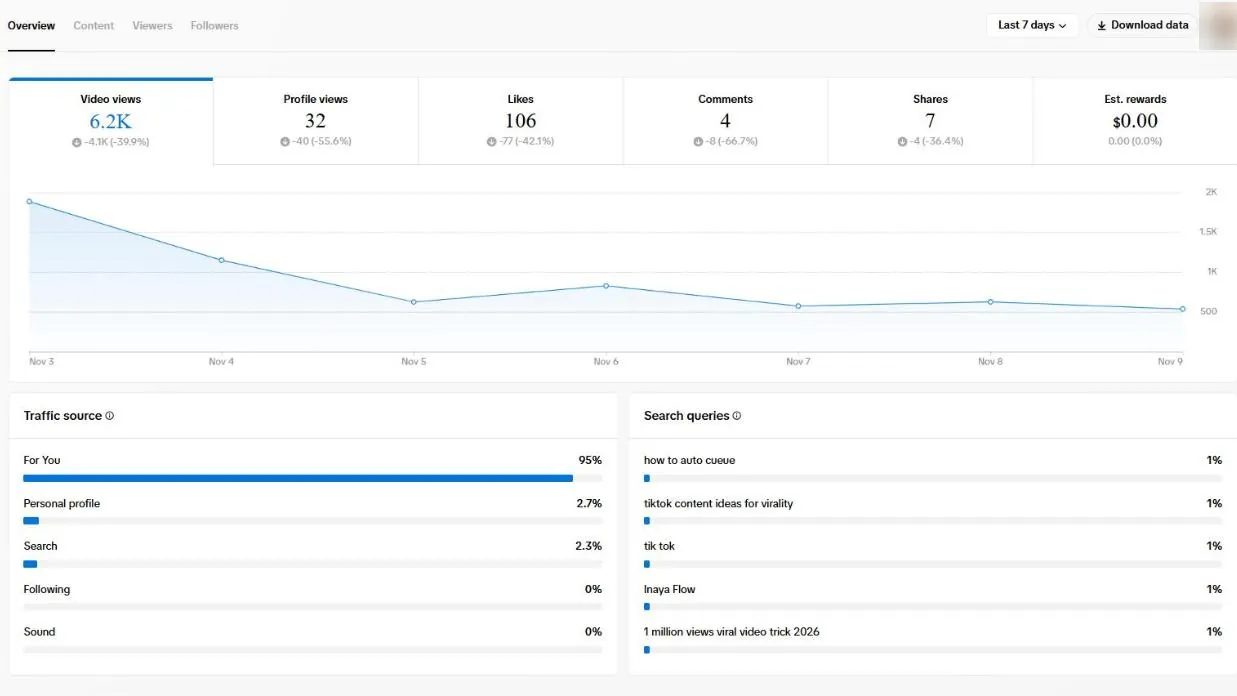
TikTok Studio's Overview on our own accounts shows a search queries panel next to the traffic source. Look at it weekly, and note which phrases bring viewers. Our TikTok analytics guide explains where the panels are. TikTok's creator tips say video results build up over a couple of days, so wait before you judge a new post.
A TikTok SEO checklist
- I searched my topic and noted how viewers phrase it.
- My caption's first sentence names the topic.
- I said the topic in the first line of the video.
- The topic is on screen as a short phrase.
- My hashtags describe the video; none are filler.
- I checked the search queries panel in TikTok Studio.
Common mistakes
- Stuffing the caption. A list of phrases reads badly and TikTok has not said it helps.
- Believing exact formulas. TikTok has not published search ranking factors.
- Choosing a huge topic. A broad topic has more videos competing. Creator Search Insights can show narrower topics.
- Using #fyp as a keyword. TikTok says it works like any other hashtag.
- Changing niche each week. Search habits build on a consistent topic.
How InayaFlow helps with TikTok search
InayaFlow looks at what your own videos already do. It takes each video's public counts, plus the spoken words when a transcript exists, so you can see which topics and phrasings your top videos share before you plan the next caption.
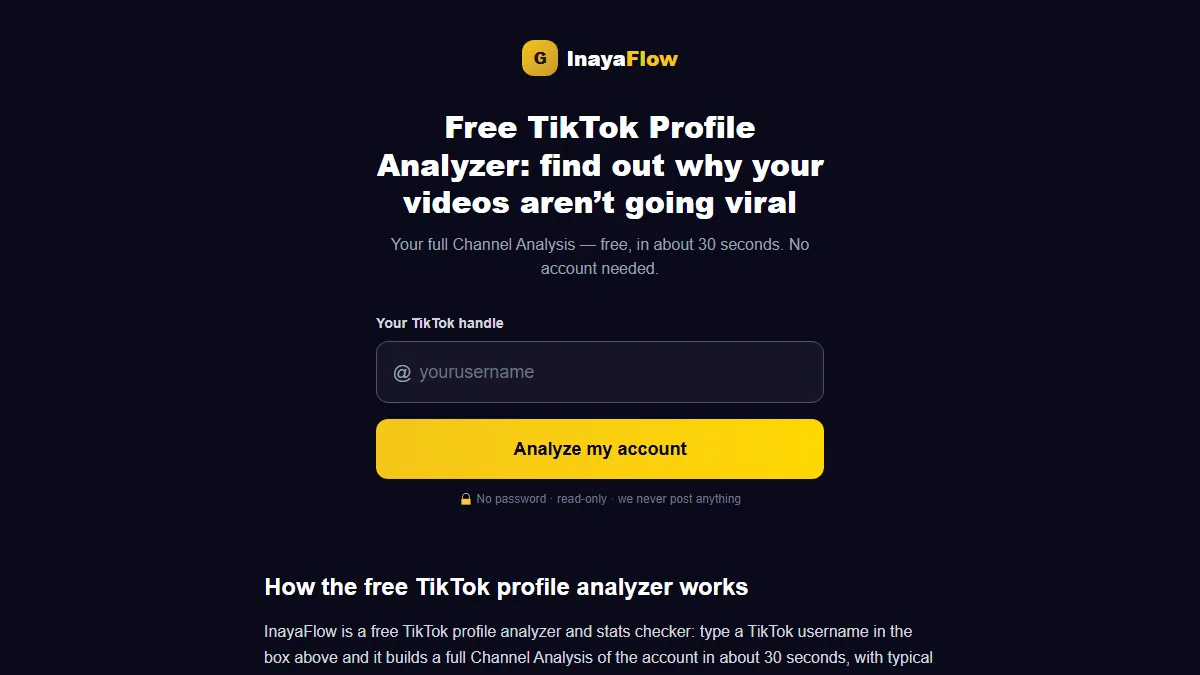
The free channel analysis takes a TikTok handle and no password. Pro includes the Hashtags and Content Ideas tools for planning the next video. It does not read TikTok's search data or rank your videos in search, and posting stays with you.
Bottom line
TikTok SEO is clarity: one topic, named in the same words in the caption, your voice and your on-screen text, with a few hashtags that fit. Start with one video this week, check the search queries panel in a few days, and keep what works.
Want a read on which topics your channel already wins at? For tags, use the free hashtag generator; for a read on your channel, run the free channel analysis.
Frequently asked questions
What is TikTok SEO?
It is the habit of describing each video clearly, in the words people type into TikTok's search bar, so the video can be matched to those searches. It covers your caption, the words you say, the text on screen and a few relevant hashtags.
Does TikTok SEO really work?
TikTok itself runs a search feature and built Creator Search Insights for creators, and says search value counts in the Creator Rewards Program. It has not published how search results are ranked, so treat any exact formula as unverified.
Do hashtags matter for TikTok search?
TikTok's 2020 creator tips say relevant hashtags help the right audience find a video. They also say more hashtags will not guarantee a broader reach. In our data, videos with 3 to 5 hashtags and videos with none had about the same relative views.
What is the maximum number of hashtags on TikTok?
The Daily Dot's August 2025 report quotes an in-app message, "Maximum 5 hashtags", on a sixth tag. We found no TikTok help page that states the limit, so check your own app.
How do I find keywords for TikTok?
Use Creator Search Insights if it is available where you live, type your topic into TikTok's search bar and note the suggestions, and look at what viewers ask in comments on videos like yours.
Should I say my keyword out loud in the video?
It is a sensible habit, since the recommendation system reads the details attached to a video, and spoken words are part of what viewers hear. TikTok has not published how much spoken words count for search, so do it for the viewer first.
Sources
- TikTok Newsroom: Creator Search Insights (March 13, 2024)
- TikTok Newsroom: 5 tips for TikTok creators (July 30, 2020)
- TikTok Newsroom: How TikTok recommends videos #ForYou (June 18, 2020)
- TikTok Transparency Center: Recommendation system (November 16, 2026)
- Daily Dot: "My 13th reason": Users react to TikTok's new limit for hashtags (August 14, 2025)
- Pew Research Center: 8 facts about Americans and TikTok (March 2, 2026)
- InayaFlow: TikTok benchmarks study 2026 (213 channels) (November 10, 2026)